QC Images vs Google Sheets for Shoe Checks
QC Images vs Google Sheets for Shoe Checks
QC Images vs Google Sheets for Shoe Checks
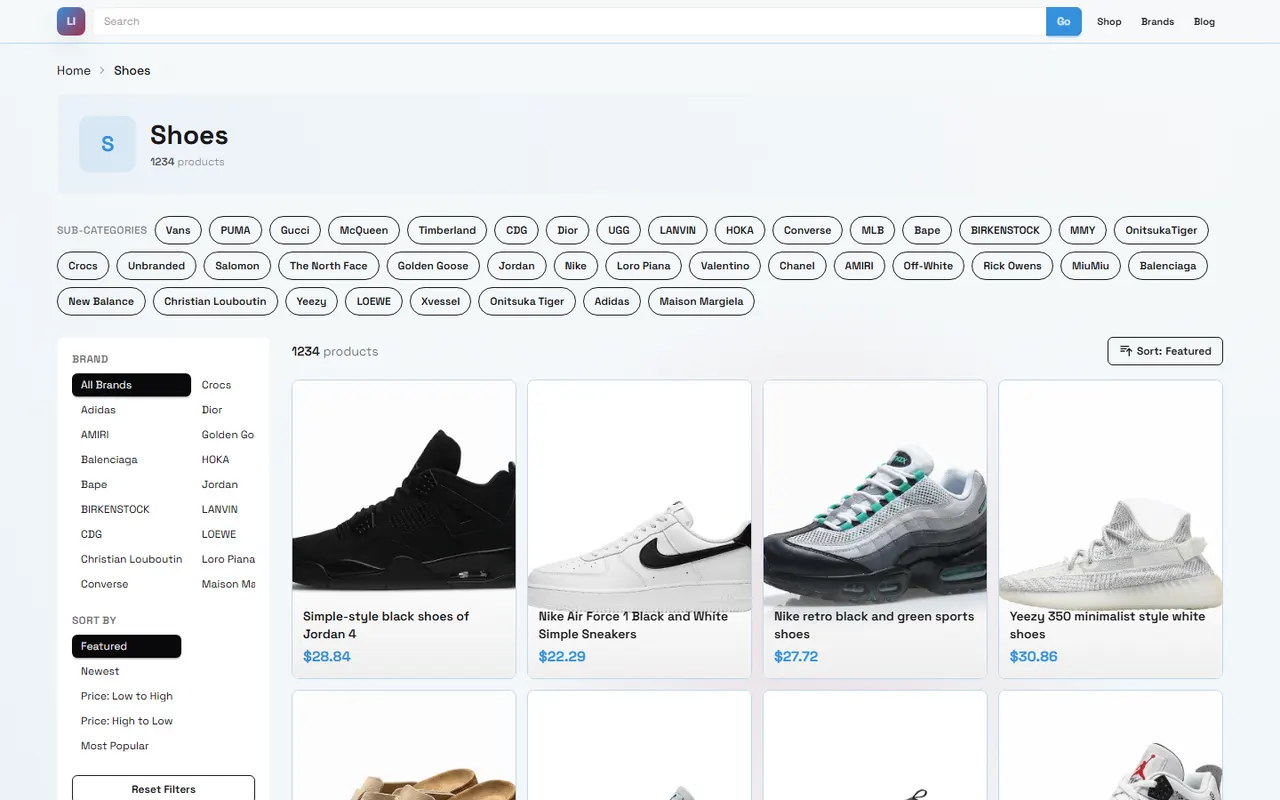
Before ordering shoes, the easiest thing to overlook isn't the product page itself, but whether the product information, QC images, and your personal notes all point to the same pair of shoes. The color names, size options, and image details on the page must correspond item by item with what you can see in the quality inspection photos; otherwise, if you only discover a mismatch in color, size, or details after the item has already entered the warehouse, the cost of dealing with it is usually higher.
This guide solves a specific problem: how to view shoe information and QC images on litbuyacbuy.net, and then use Google Sheets to create a reviewable check record. After reading, you should be able to do the following:
Confirm that the record in the spreadsheet corresponds to the product page and shoe variant
Record the visible evidence from the QC images into clear fields
Distinguish between anomalies that can be confirmed from images and issues that cannot be concluded based solely on images
Leave a reviewable evidence trail before submitting a shipping or after-sales request
This method is not a substitute for professional authentication, nor is it suitable for judging authenticity, material composition, long-term durability, or wearing comfort based solely on a compressed image. Images can only support limited visual checks and cannot prove all product attributes. 👟
First clarify the shoe evidence and ordering risks to be checked
Before you start recording, break down the risks into three levels: product identity, visual condition, and order decision.
Product identity refers to whether what you are looking at is indeed the target shoe, including the product page, seller information, color, size, and style variant. Visual condition refers to what can be directly seen in the QC images, such as whether the left and right shoes are the same color scheme, whether there are obvious stains on the upper, and whether the sole pattern matches the page display. Order decision is whether you want to continue purchasing, request additional photos, ask the warehouse, or pause shipping.
It is recommended to first set up one row per shoe variant in Google Sheets, rather than one row for a vague product link. If the same page has multiple colors or sizes, the color and size should be recorded separately; if an order contains multiple pairs of shoes, do not mix all the QC images into one row.
Check level | Content to record | Can the image directly prove it |
|---|---|---|
Product identity | Product page, variant, size, color, seller information | Partially, page information still needs separate verification |
Visual condition | Upper, sole, stitching, left and right shoes, color scheme | Usually visible problems can be found |
Order decision | Accept, request additional photos, ask, pause shipping | Needs to be combined with your tolerance standards |
First fix the following basic fields in the spreadsheet: product name, product page, shoe color, target size, record date, QC image URL, current judgment, and next action. That way, even if you reopen the record later, you will know what each row corresponds to.
How to view products and QC images on litbuyacbuy's website-type spreadsheet
When viewing shoes on litbuyacbuy.net, start with the product identity, and do not jump to judging quality as soon as you open the QC images. The page-type product information usually serves the role of "what this is," while the QC images serve the role of "what is currently seen." The two cannot replace each other.
It is recommended to operate in the following order:
Open the target shoe page and confirm the product name and the shoe variant on the page.
Record the color, size, and other variant information you selected.
Find the QC images or image preview area corresponding to that product.
View the front, side, sole, toe, heel, and label and other visible areas one by one.
Write the facts that can be confirmed from the images into the notes, and do not directly write quality conclusions.
If the images are insufficient to judge key issues, mark as "needs additional photos" or "cannot confirm."
For example, "there is a light-colored dot-like mark on the outer side of the left shoe toe" is an observable record; "this pair of shoes is poorly made" is a broad conclusion that cannot help later personnel locate the problem. A better way to write is to describe the position, left or right shoe, image number, and visibility. 📷
If the product page has multiple similar shoe models, you must record both the page title and the variant information at the same time. Do not use just abbreviations like "black shoes" or "white shoes," because later you may not be able to distinguish between different sellers or different sole versions.
QC images should also not be regarded as a complete inspection report. Shooting angle, lighting, compression, and obstructions all affect judgment. If the sole, inner label, or the other shoe does not appear in the images, you should record "not shown" rather than default to "no problem."
How to set up shoe QC check fields in Google Sheets
The value of Google Sheets is turning scattered judgments into a fixed format. You can create a "Shoe QC" sheet and a "Problem Log" sheet; the former records overall status, and the latter records each specific anomaly.
The "Shoe QC" sheet can use the following fields:
Product name
Product page
Seller or product source identifier
Color and variant
Target size
Order or product identification information
QC image URL
Image viewing date
Upper condition
Left and right shoe pairing
Color scheme consistency
Stitching and sewing visibility
Sole and toe visibility
Label or size marking
Image coverage
Current judgment
Next action
The "Problem Log" sheet can be set up as:
Product identification information
Image number or image location
Anomaly part
Visible facts
Severity
Whether additional photos are needed
Whether to ask
Final handling result
Handling date
For status fields, it is best to use limited options, such as "unchecked," "passed initial visual check," "needs additional photos," "needs inquiry," "pause shipping," "accepted." Fixed options can reduce the same problem being written in many different ways and make filtering and statistics easier.
When recording, separate facts from judgments. Facts answer "what is seen in the image," and judgments answer "whether this is enough to change the next step." For example:
Visible fact: there is a discontinuous stitch line near the right shoe heel.
Judgment: need a magnified image to confirm whether it is a loose thread, shadow, or actual stitching failure.
Next step: request a close-up photo of the right shoe heel.
This way of writing is easier to review than directly filling in "poor workmanship," and it is also more suitable for communicating with warehouse or after-sales personnel. 📝
Item-by-item comparison of shoe shape, stitching, color scheme, and size information
Shoe shape and left/right shoes
First confirm whether the two shoes belong to the same shoe model. Observe whether the toe shape, collar height, sole edge, and heel shape are obviously consistent. If the two shoes are placed at different angles, do not write perspective differences directly as different models.
You can record "the left and right shoes look basically consistent in shape at the current angle," but do not assert from that that the size is accurate or the fit is comfortable. Inner length, feel, and actual comfort cannot be confirmed by external photos alone.
Stitching and sewing
Check the stitch lines near the upper edges, tongue, heel, and decorative panels. When recording, state the specific position, for example, "the stitch line on the right side of the left shoe tongue is visible in two images," rather than generally writing "stitching is normal."
When image resolution is insufficient, you can mark it as "cannot confirm stitch details." Do not judge shadows, creases, or breaks caused by image compression directly as loose threads. If the problem may affect structure or appearance, request a close-up image with more even lighting.
Color scheme and material appearance
Compare the color selected on the product page with the main colors in the QC images. Keep in mind that shooting lighting, display settings, and image compression all cause color differences, so a more reliable record is "the main color roughly matches the page option" or "color difference cannot be confirmed in the current image," rather than claiming the color is completely accurate.
Material appearance can only describe the visible surface. For example, you can write "the upper surface shows texture," but you cannot determine the specific material composition, thickness, abrasion resistance, or waterproof performance from images alone. For judgments involving materials, go back to the verifiable description on the product page and record the source and viewing date.
Size information and labels
First check the target size in the spreadsheet, then check the size label or shoebox marking in the QC images. When the label is clear and readable, you can record the size information on the label; if the label is obscured, reflective, or insufficient resolution, record "label unreadable."
When the label is inconsistent with the page selection, do not immediately assume the warehouse shot it incorrectly or the wrong item was sent. First save the image location, check the product identification information, and ask a clear question. If you need to measure the inner length of the shoe, request a measurement photo or measurement result suitable for judgment; appearance images alone cannot prove the actual inner length. 📏
Differences in operation between website image previews and spreadsheet external link records
A website-type spreadsheet or product page is suitable for quickly viewing product context and QC image previews. You can confirm the shoe name, variant, and images in the same browsing flow, but the page display usually revolves around the current product and is not necessarily suitable for managing long-term comparisons among multiple pairs of shoes.
Google Sheets is more suitable for building your own review layer: you can record the viewing date, anomaly location, processing status, and next action, and also filter by statuses such as "needs additional photos" and "pause shipping." Its role is not to replace the product page on litbuyacbuy.net, but to save your judgment process.
When using image external links, it is recommended to also keep the image number or a short description. Do not just paste an unrecognizable link, and do not treat the link itself as an evidence summary. Next to each external link, write clearly which shoe, which angle, and which judgment it corresponds to.
For example:
Image 01: left and right shoes front view, check shoe shape and main color
Image 02: left shoe side view, check upper and outer stitching
Image 03: sole, check sole pattern and obvious stains
Image 04: shoe label close-up, check size information
If the image link later fails, the text record in the spreadsheet should still explain what was observed at the time. For important anomalies, you may save compliant local records where permitted, and avoid including order numbers, addresses, phone numbers, or other unnecessary personal information.
Which anomalies can be recorded, and which cannot be judged from images alone
Content that can be directly recorded usually has clear location and visible evidence:
Obvious stains, scratches, or damage appear in the image
The left and right shoes look obviously different in color
The size text on the shoebox or label is readable and inconsistent with the selection
The image shows obvious foreign objects or severe deformation on the sole
The style selected on the page is obviously inconsistent with the appearance in the QC image
Key areas are not photographed, making the check impossible to complete
Content that cannot be confirmed from images alone includes:
Whether the item is authentic or meets a certain brand's authenticity standards
The true composition, thickness, smell, or durability of the material
The actual fit, support, and comfort of the shoe
Whether it will cause blisters, color fading, or water ingress after wearing
Whether deformation will definitely not occur after shipping
Whether the seller will definitely accept returns, exchanges, or compensation
When facing a suspected anomaly, the most useful action is not to immediately draw a conclusion, but to first turn the problem into an answerable question. For example:
"Please take an additional close-up photo of the outer side of the right shoe heel, using more even lighting."
"Please confirm whether the size label in the image corresponds to the target size in this row."
"Please provide a full view of the sole to confirm whether there are obvious cracks or severe deformation."
If after additional photos it still cannot be confirmed, keep the status as "cannot confirm," and decide whether to continue based on the item's value, time cost, and your risk tolerance. Do not automatically treat missing evidence as passing, nor automatically treat a blurry image as a defect. ⚠️
Applicable scenarios for website-type spreadsheets and Google Sheets
The difference between the two can be simply understood as: the website page helps you view the product and its current information, while Google Sheets helps you manage your own checking process.
When you are only checking one pair of shoes and the page information and QC images are both very clear, completing the viewing directly on the website page may be enough. When you need to compare multiple pairs of shoes, record multiple variants, follow up on additional photos, or keep pre-shipment judgments, Google Sheets is more helpful.
But spreadsheets also have limits. They cannot automatically prove the images are real, cannot judge materials and authenticity for you, and cannot fill in areas that were not photographed. The most important thing in a spreadsheet is not the number of fields, but that each field corresponds to a clear piece of evidence or action.
It is recommended to keep a final status for each pair of shoes and update the date when the status changes. For example:
Unchecked: have not yet fully viewed the QC images
Initial check completed: no obvious appearance problems recorded in the current images
Needs additional photos: key areas are missing or insufficient
Needs inquiry: found contradictions that need confirmation from the platform or warehouse
Pause shipping: problem not yet resolved, do not proceed to the next step
Accepted: continue processing under current evidence and personal standards
This status cannot replace the platform's formal after-sales process. If you decide to request a return, exchange, additional photos, or other requests, you should follow the currently visible process and applicable conditions on the page, and save the necessary communication records.
Final action: complete a reviewable shoe QC checklist
Before submitting shipping or ending the check, complete the following checklist item by item:
The product identity on the product page and in Google Sheets is consistent.
Color, size, and variant have been clearly recorded.
QC images have been viewed by angle or part, not just thumbnails.
Left and right shoes, shoe shape, color scheme, upper, stitching, sole, and label have all been marked with status.
Areas not shown or unrecognizable have been clearly written out.
Each anomaly has an image location, factual description, and next action.
Content that cannot be judged from images alone has not been written as a definite conclusion.
Issues that need additional photos or inquiry have been listed separately.
The spreadsheet contains no unnecessary sensitive data such as order numbers, addresses, phone numbers, or payment information.
The final status and viewing date have been updated.
What this method may save is not a fixed amount of money, but the extra communication, additional photos, returns, exchanges, or reshipping costs caused by not discovering size, color scheme, or obvious appearance problems in time. The cost is that you need to spend time viewing each image and maintaining records, and stricter checks may slow down shipping decisions.
It is more suitable for people who buy multiple pairs of shoes, need to compare different variants, have clear requirements for appearance details, or want to keep review evidence. It is not recommended to continue shipping based solely on a completely filled spreadsheet when images are severely lacking, product identity cannot be matched, or key size information is unreadable. Spreadsheets can organize evidence, but they cannot create evidence.
A truly reliable QC record is not one where every cell is filled, but one that allows the next reviewer to answer three questions: what product is this, what did the images actually prove, and what should be done next.
Agent platform shopping FAQ
1. What is the purpose of using a spreadsheet with litbuyacbuy.net?
Agent platforms, including litbuyacbuy.net, generally do not show products directly, so having a spreadsheet is necessary to locate items you like and obtain their purchase links. Another option is to ask for help on Reddit or Discord; the products suggested there are often very good, but buying through those channels can take a lot of time. These spreadsheets are usually put together slowly by collecting information from such platforms over a long period.
2. How can I review quality inspection photos on litbuyacbuy.net?
When looking at QC photos, you should pay attention to the particular details of the item you bought. For instance, with shoes, you need to check several important spots—like the toe, heel, and tongue—to look at the stitching, the shoe's shape, and how thick the tongue is to see if it is a good-quality pair. For clothing, you should inspect the collar label, the logo's embroidery, the material, and whether the collar and cuffs are smooth, along with other specifics.
3. What should I do if I am not satisfied with a product received through litbuyacbuy.net?
You need to get in touch with litbuyacbuy.net's customer service team right away. For Chinese sellers, most items that are not specialty goods come with a 5-day return and exchange policy where no reason is required. If you are unhappy, you can ask for a return. If the package has already left the warehouse and reached your address, and you find a quality problem, you will need to contact litbuyacbuy.net's customer service so they can help you talk to the seller and work out a compensation arrangement.
Below are the customer service email addresses for each platform:
kakobuy: [email protected]
oopbuy: [email protected]
usfans: [email protected]
hipobuy: [email protected]
superbuy: [email protected]
Browse our latest products and find your next favorite item.